

· 8 min read
Speech to Structure: Extracting Structured Data from Speech
How an audio recording can be transformed into structured, machine-readable JSON on AWS – using Amazon Transcribe, Amazon Bedrock, and Step Functions?
Introduction
In an overloaded call center environment, the volume of incoming customer calls and messages often exceeds the processing capacity of the available workforce. Customer service representatives spend a significant portion of their time interpreting unstructured textual information received from various customers. These messages can differ significantly in style, level of detail, and quality, making quick and efficient processing difficult. Consequently, identifying issues, extracting relevant information, and determining the appropriate response or course of action often becomes a time-consuming process. For example:
„Hello, I bought a new smartwatch yesterday, but it won’t turn on even after the first charge, despite my attempts to restart it. I would like to know if this is considered a warranty issue, because I am quite disappointed that a brand new device is not working on the very first day.”
Problem and Solution
Processing unstructured textual data requires significant resources, as extracting information necessitates interpreting the content and context of the entire text. Messages sent by customers often arrive with varying levels of detail and phrasing, making the identification of relevant data a challenging process to automate.
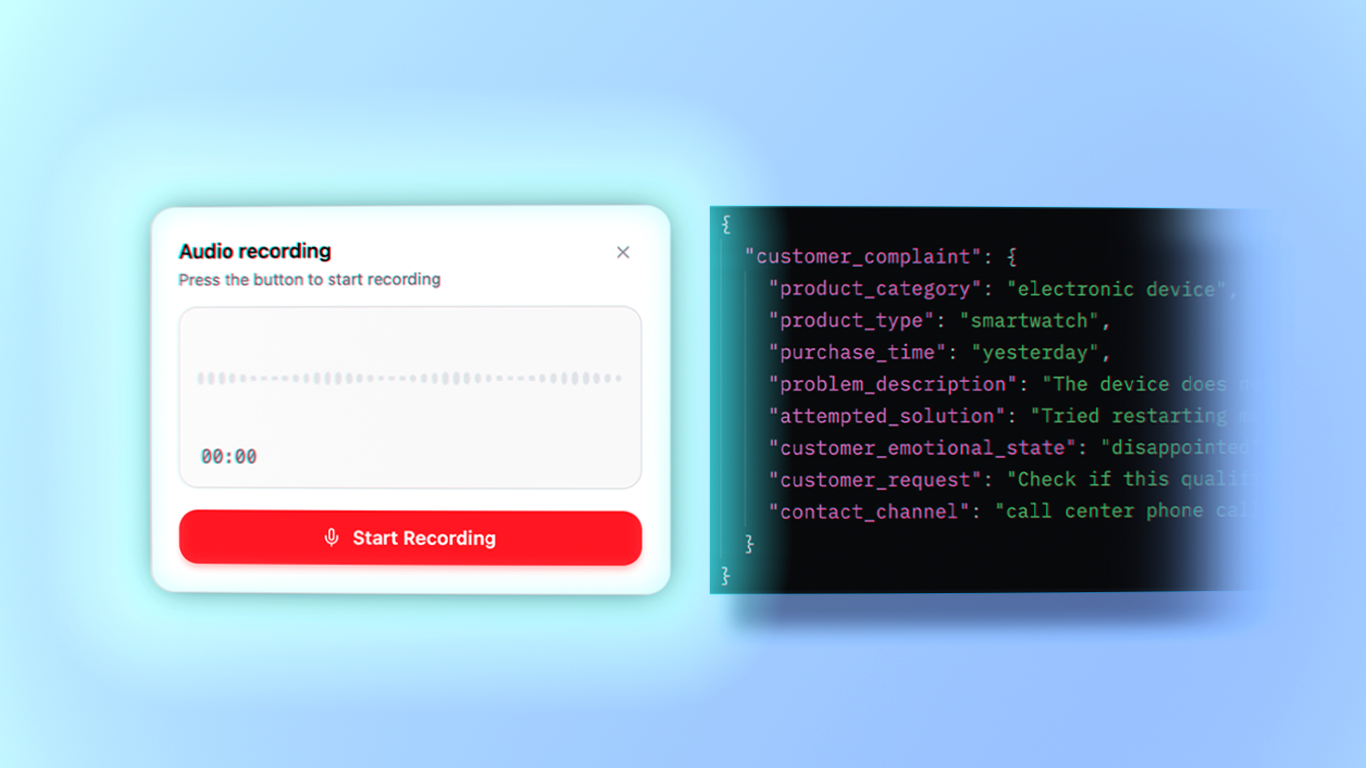
In contrast, if free-text can be converted into a structured format—such as a document consisting of key-value pairs, like JSON or YAML—the information can subsequently be processed easily in a programmatic way. Structured data enables automated searching, filtering, and analysis—for example, based on specific issue types, products, or customers—which significantly accelerates customer service workflows and improves overall efficiency.
{
  "customer_complaint": {
    "product_category": "electronic device",
    "product_type": "smartwatch",
    "purchase_time": "yesterday",
    "problem_description": "The device will not turn on after the first charge.",
    "attempted_solution": "Multiple restart attempts",
    "customer_emotional_state": "disappointed",
    "customer_request": "Warranty issue verification and resolution",
    "contact_channel": "call center phone call"
  }
}
Benefits
Instant Summaries: Within seconds after the call, the representative sees a structured summary, which can also be retrieved from the archive later.
Data Analytics: We can easily generate analytics from the database regarding incoming complaints or questions.
Enhanced Searchability: The structured format allows for easy searching and filtering.
System Integration: It can be seamlessly integrated with CRM or ticketing systems.
Automated Routing: We can use it with logical branching; for example, if we include a
problem_typekey with the valuedevice_not_turning_on, the case can be routed directly to warranty administration.
Implementation
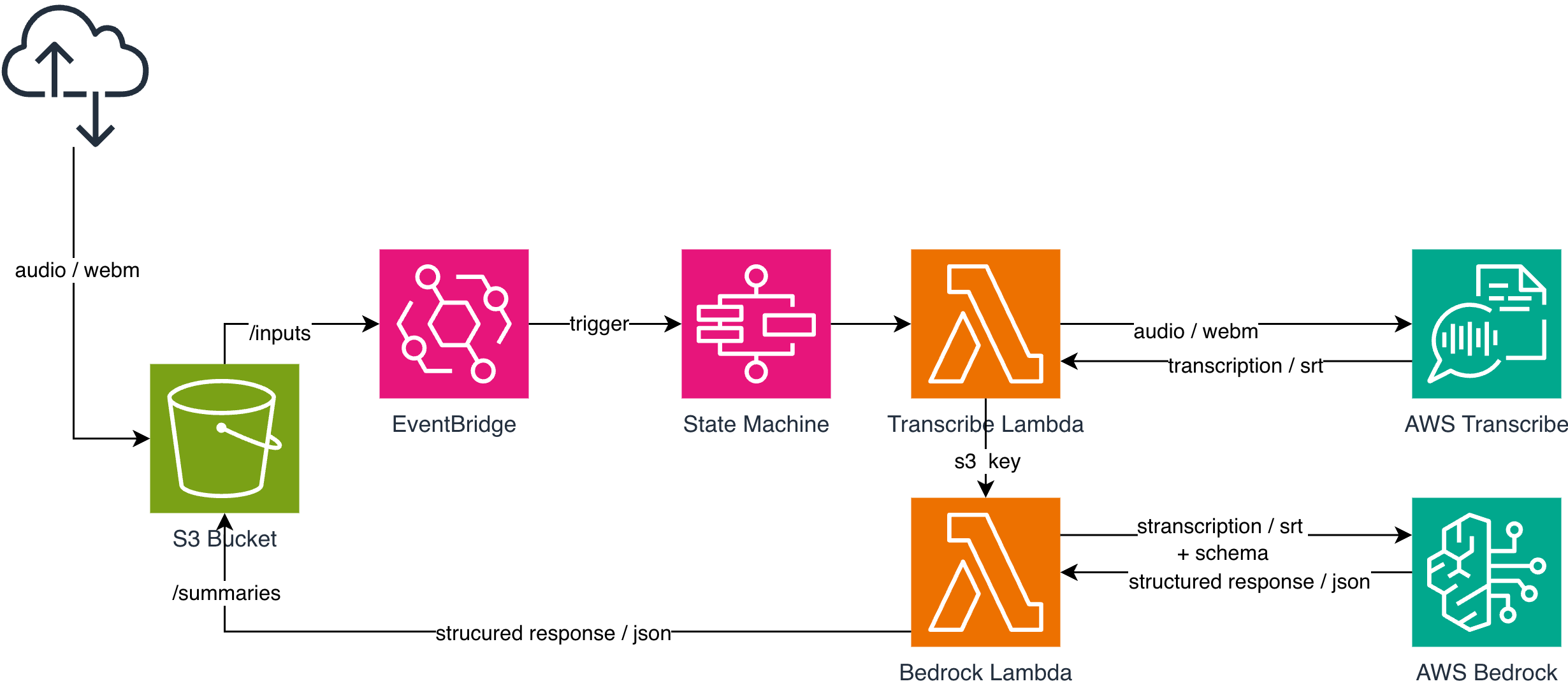
The solution we implemented is based on a simple yet highly scalable processing pipeline on AWS.
The process starts at the frontend, where the audio file of the recorded customer call is uploaded to an Amazon S3 bucket under the /inputs prefix. This path is monitored by an Amazon EventBridge rule, which automatically triggers an AWS Step Functions State Machine in response to an s3:ObjectCreated event.
The State Machine executes two Lambda functions sequentially. The first Lambda function calls the Amazon Transcribe service to generate a text transcript from the uploaded audio. The second Lambda function sends this transcript, along with a predefined structural schema, to Amazon Bedrock, which processes the text and generates the desired structured output.
Finally, the processing result is written back to the same S3 bucket under the /summaries prefix, from where it can be easily accessed and further processed by the frontend or other systems.
How does it work?
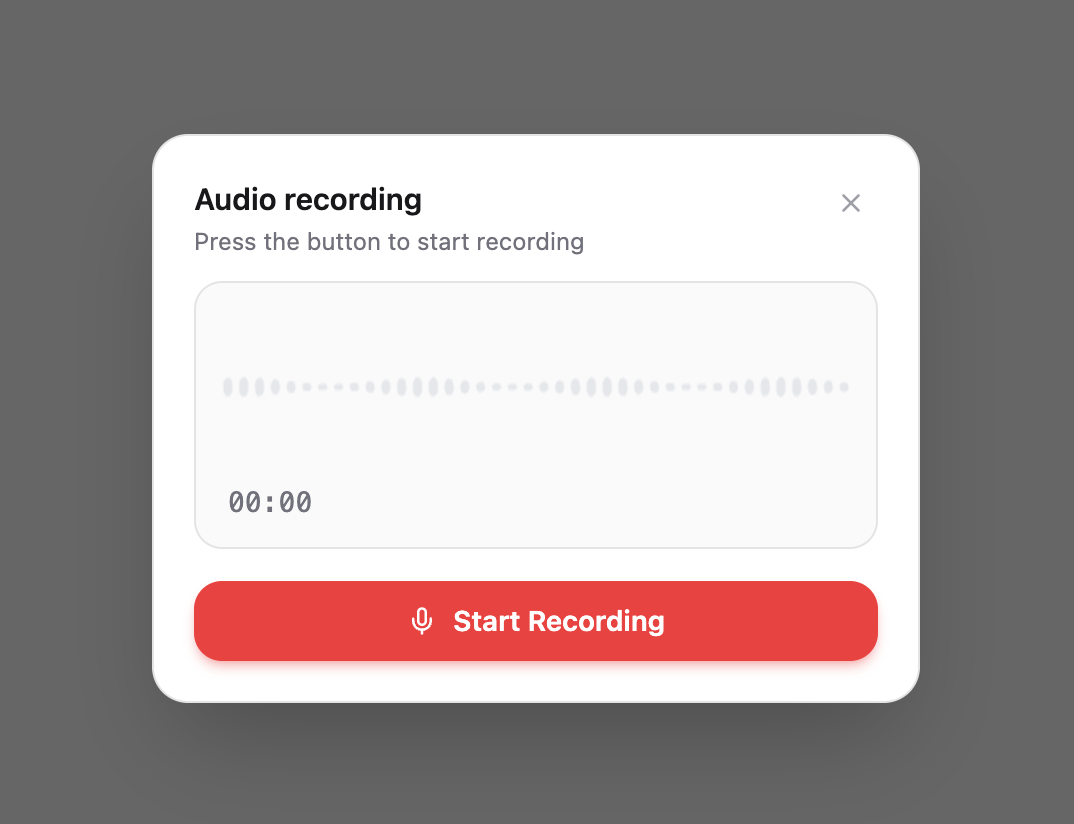
In this example, the frontend application uploads an audio file to the S3 bucket under the /inputs path. The audio recording can originate from a customer call recorded directly in the browser, but a previously recorded audio file can be uploaded in the exact same way. From the pipeline’s perspective, the source is irrelevant: as soon as the file lands under the /inputs prefix, the system automatically triggers the processing workflow.
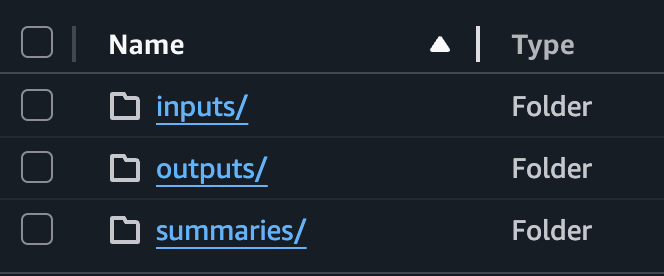
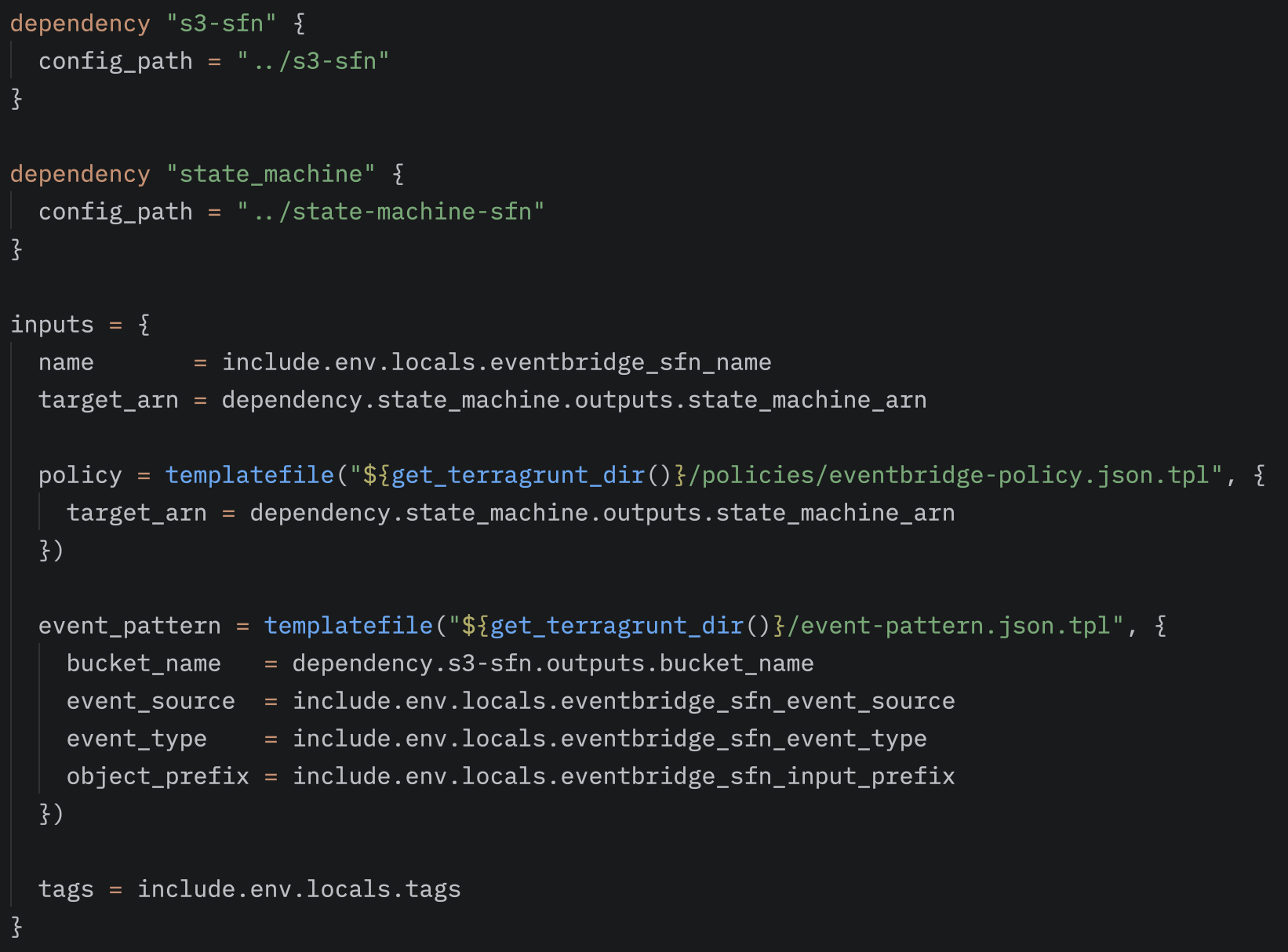
The uploaded audio file is placed under the /inputs path of the S3 bucket. An EventBridge rule monitors this path and automatically triggers the processing workflow upon detecting the creation of a new object.
The different prefixes within the bucket represent the individual phases of the processing pipeline, making it easy to distinguish exactly which step a specific file has reached. Therefore, the S3 paths reflect the processing status as follows:
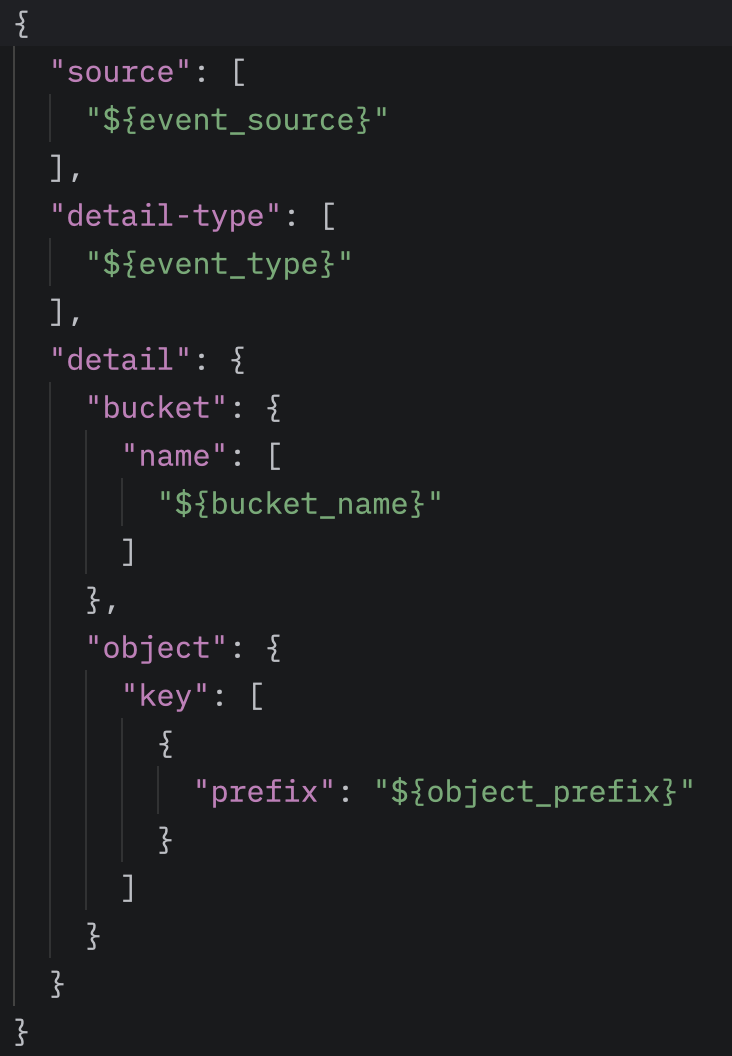
The EventBridge rule is configured to monitor a specific source—in our case,aws.s3. The rule listens for Object Created events and only triggers the workflow for files that are created in the specified bucket under the /inputs prefix.
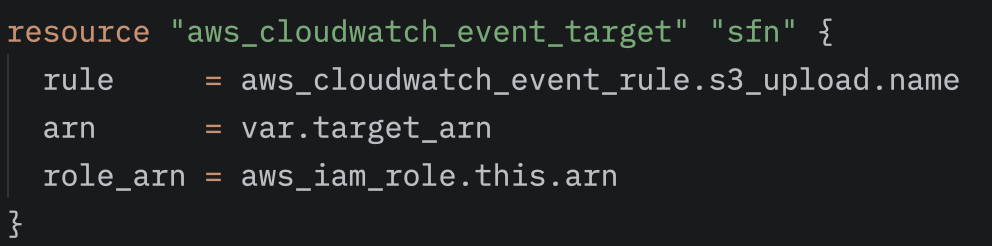
To complete the EventBridge rule, we must also specify the target that responds to the events detected by the rule. In our case, this target is the AWS Step Functions State Machine, which initiates the processing pipeline. The ARN of the specific State Machine must be associated with the rule, ensuring that every new object under the /inputs path automatically triggers the workflow.
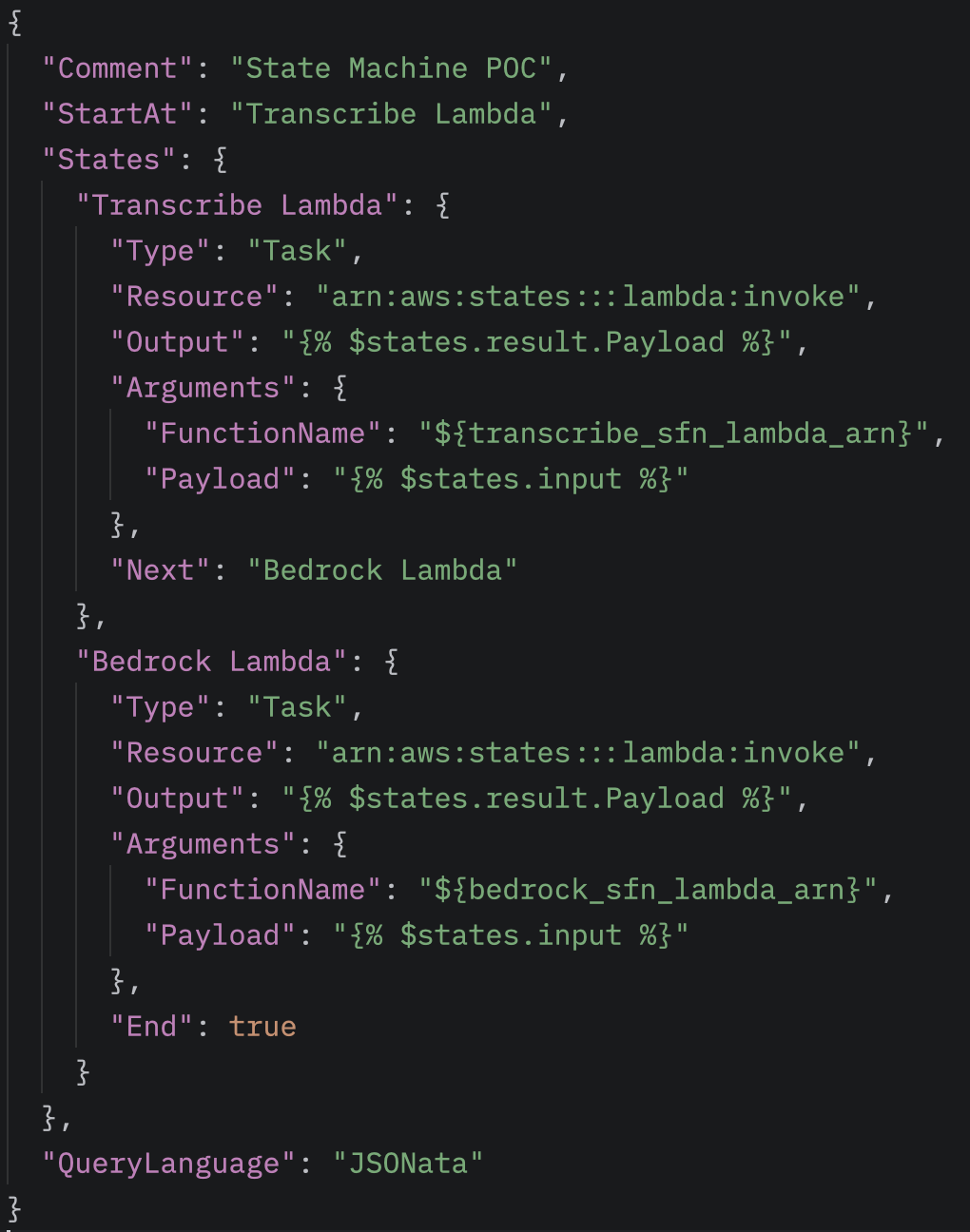
As soon as the EventBridge rule triggers the State Machine, the workflow begins executing the two Lambda functions. The first Lambda, the Transcribe-Lambda, generates a transcript from the audio file, uploads it to the /outputs path, and passes this information to the second Lambda, the Bedrock-Lambda, via the states.result.Payload field. (The Payload contains the S3 path of the transcript, allowing the Bedrock-Lambda to access the text and perform further processing.) Finally, the structured summary appears under the /summaries path.
Transcribe and Bedrock
Amazon Transcribe is a fully managed, global service on AWS, which means we cannot create an instance of it within our own account; we can only access the system operated by Amazon. The service is capable of automatic language detection and can return the transcript in multiple formats. JSON is the default format, where the system provides word-level confidence scores, allowing us to filter based on accuracy, for example. If this is not required, we can configure it to output an SRT file, which is exactly what we did.
From the S3 event, we can extract the location of the uploaded audio file. Using boto3, we send this path to Transcribe, where we can also specify the destination of the output as a parameter.
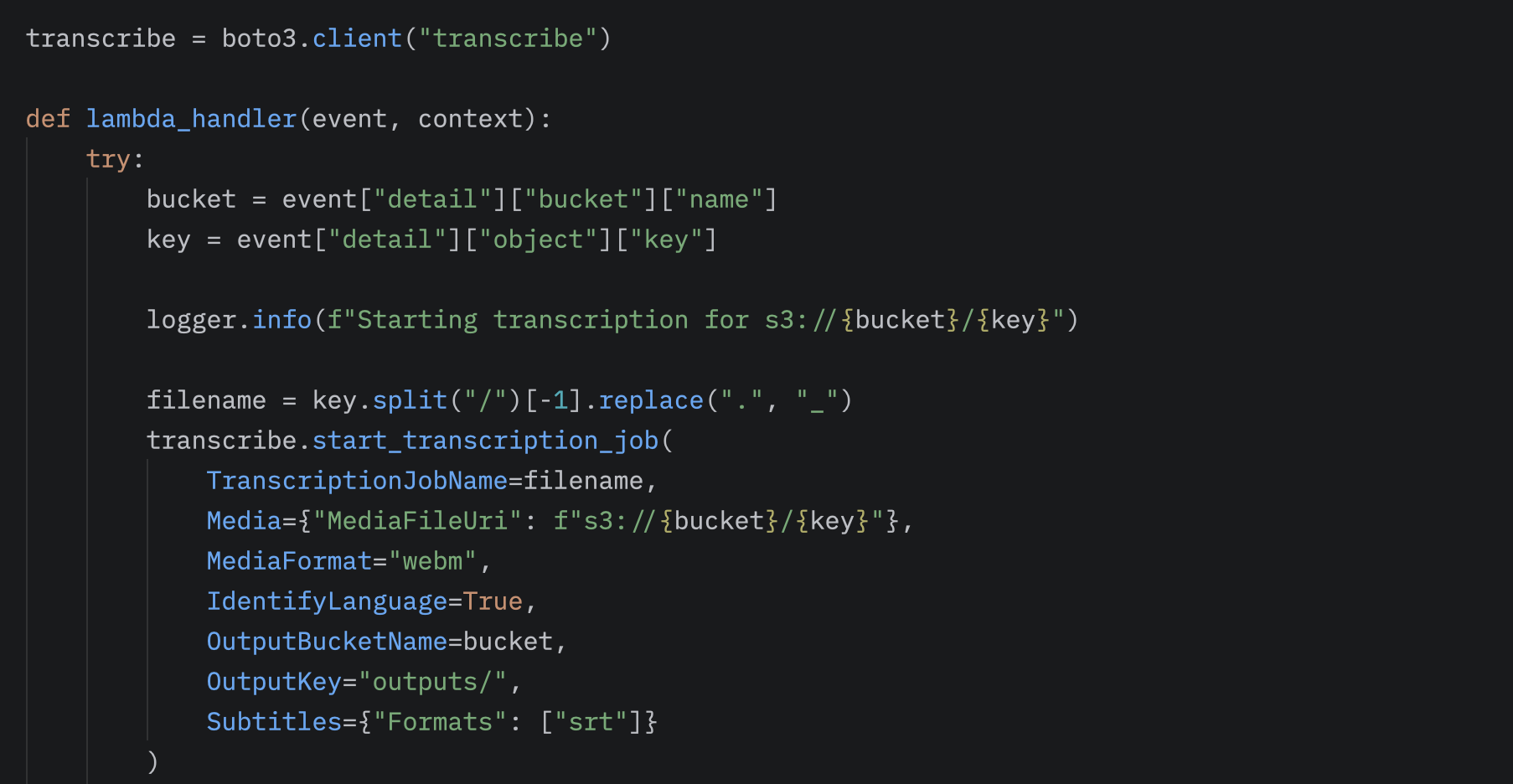
After Transcribe finishes generating the transcript, the next step in the workflow is invoking the Bedrock-Lambda. In this Lambda, we also use the boto3 library to access the transcript stored in S3 and communicate with the Amazon Bedrock service.
Bedrock, similar to Transcribe, is a global, fully managed service that provides access to numerous foundation AI models, such as Claude, OpenAI, or Amazon Nova.
The first step in processing is defining a structured schema, which describes the format in which we want to receive the processed data. This allows the response generated by Bedrock to be handled programmatically in the form of key-value pairs, making it easy to integrate into further automated processes.
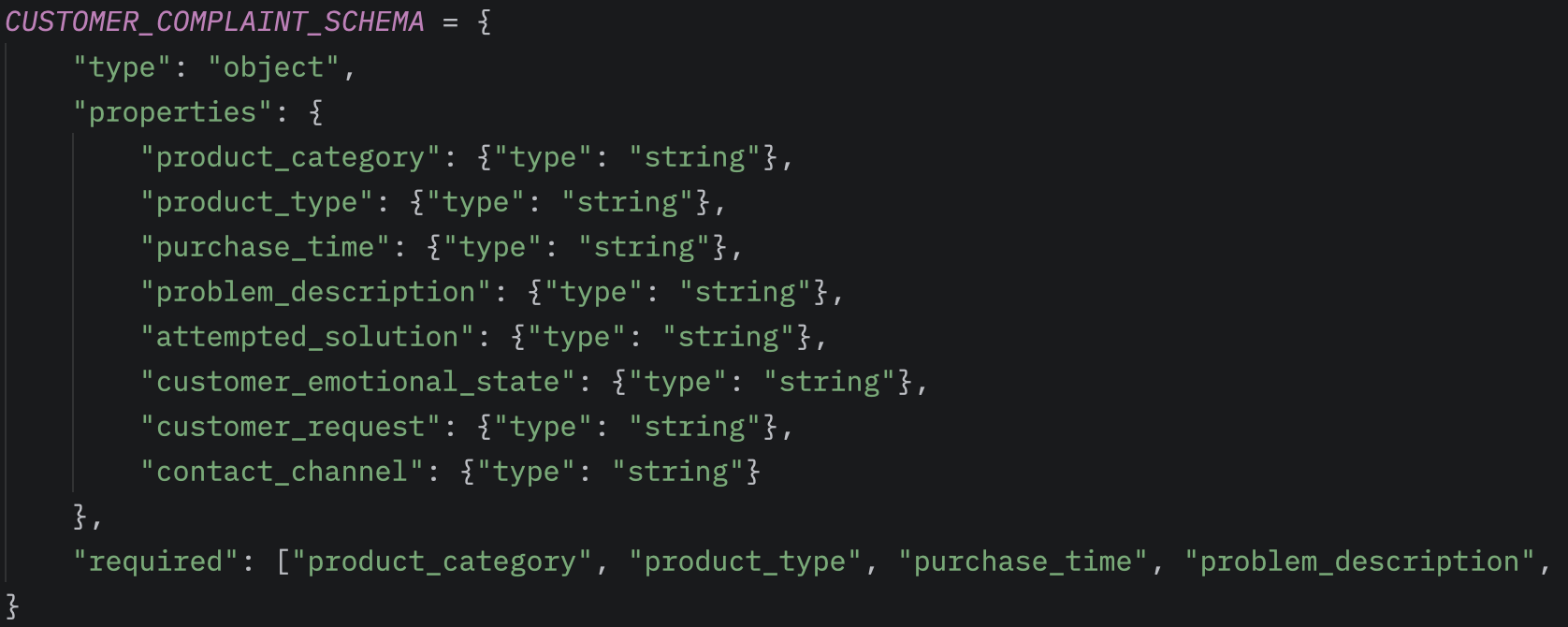
During processing within the Bedrock-Lambda, we use the boto3 client’s invoke_model method to call the model. Here, we can specify the modelId to select which AI model we want to use. We can set the maxTokens value to limit the length of the generated response, and optionally provide tools or other specific settings for the processing. By passing the expected structured format as an input, the model returns the processed response directly in the structure seen above.
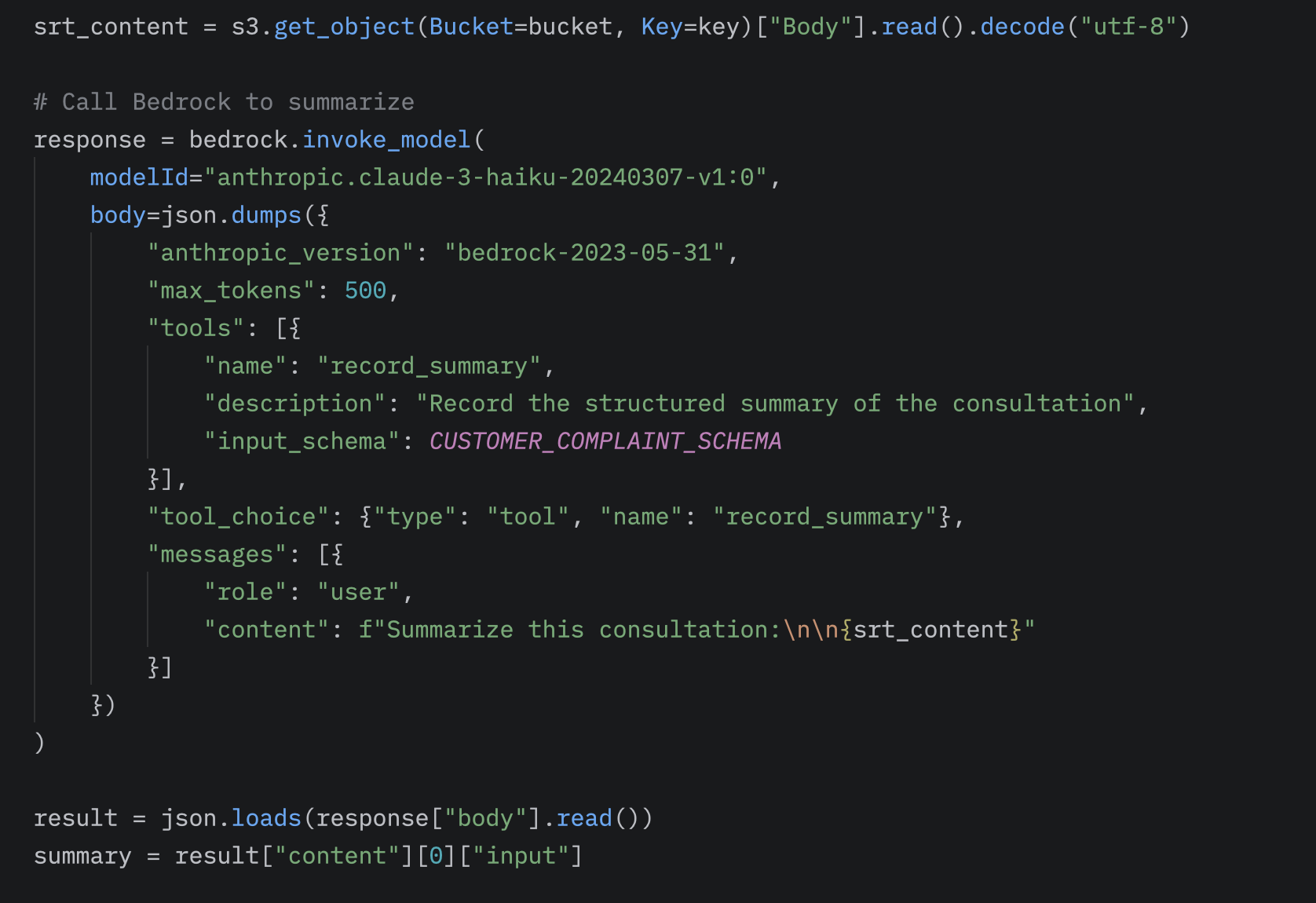
Thus, the final output of the workflow will be a structured response, which can be further processed using additional modules from the S3 /summaries path, or returned to the client.
Summary
The system can accept multiple audio formats, but due to our frontend architecture, we used WebM. This is processed in a matter of seconds, which can be monitored in real-time on the service console.
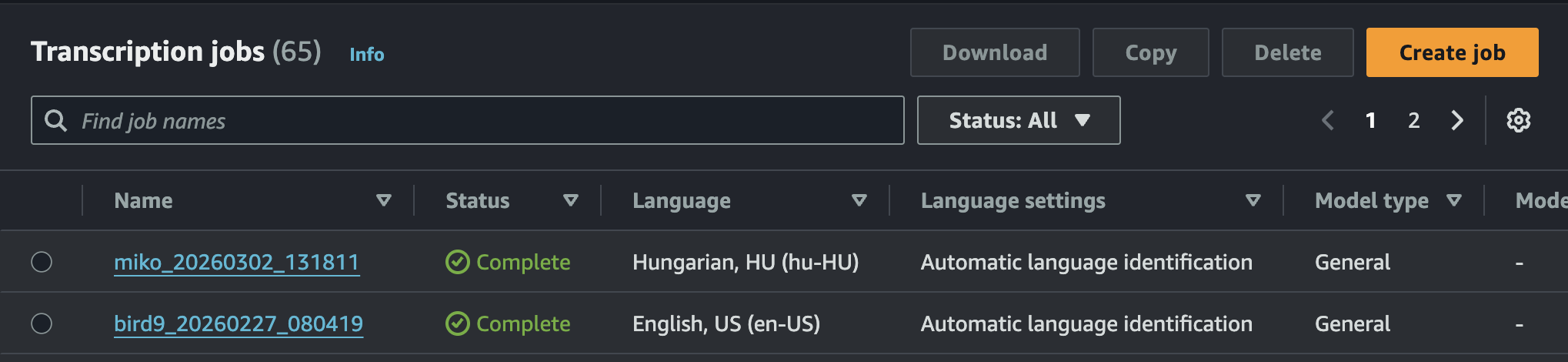
Bedrock also performs the summarization with surprising speed, returning the data in the structured format. In most cases, the turnaround time from uploading the audio file to receiving the final response is approximately 15 seconds for a 2-minute audio track. This processing time could be reduced to a fraction by utilizing Amazon Transcribe’s streaming mode.
Due to its modular nature, the solution can be easily integrated into other systems. The central component of the process is the S3 bucket, where intermediate results are stored under separate paths. This allows us to retrieve the raw transcript prior to summarization, or bypass the audio processing entirely and initiate the workflow with a text input to ultimately obtain the structured summary. From outside AWS, the service can be invoked via the HTTP protocol, for instance. This means the solution can be integrated into any frontend application simply by calling a REST API endpoint, regardless of the platform or technology used.
Sources
- AWS Transcribe: What is Amazon Transcribe? - Amazon Transcribe
- AWS Bedrock: Overview - Amazon Bedrock
- AWS Bedrock Structured output: Get validated JSON results from models - Amazon Bedrock
- AWS State Machines: Learn about state machines in Step Functions - AWS Step Functions
- AWS Lambda: What is AWS Lambda? - AWS Lambda
Are you interested in this topic? Do you have any questions about the article? Book a free consultation and let’s see how the Code Factory team can help you, or take a look at our services!